Specialization
Welcome, welcome! Step closer to the fire traveler, this might take a while. Come on now friend, I don’t bite! Have a seat!
Prologue:
It all began when our project group, the good old BeheMoth crew, was looking for a reference game for our sixth game at The Game Assembly. Now BeheMoth was, and still is, a stalwart bunch but after discussing the want for a grappling hook as our main gimmick and consulting with our mentor it was clear, given the time constraints in combination with concurrent portfolio work there might not be enough time to implement a grappling hook successfully. We decided to err on the side of caution this time and so we went ahead with other ideas.
This meant that the grappling hook was unexplored territory so when the time came for myself to decide what to do for my specialization I pondered a few different possibilities where the grappling hook was one of them. As you all know at this point it was also the winner in the end. With that decided I set out on a quest, a quest to complete my very own version of the well known grappling hook.
At my side I had two references for my coming work:
Grapple Hook Reference
Swinging Hook Reference
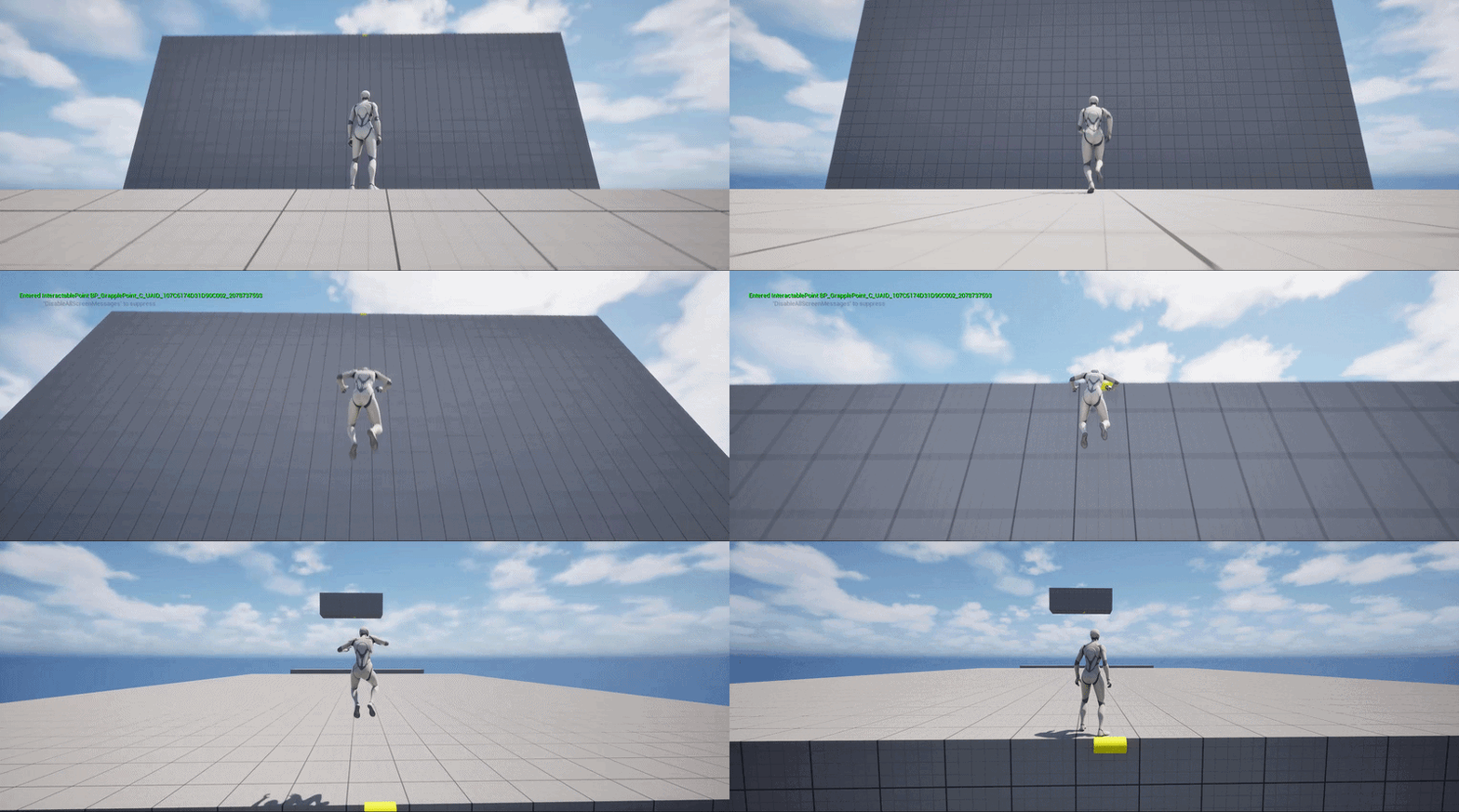
The first, what I called the grapple hook, inspired from Horizon Forbidden West. A simple A to B transport of the player. I chose to modify it so that instead of the player hanging from the ledge they were launched to the top. The second, the swinging hook, inspired from Shadow of the Tomb Raider. More complex, where the player could swing back and forth to gain speed. Not shown in the reference video but the player could also lengthen & shorten the rope which I wanted to include as well.
I needed a place to create the hooks and I felt that exploring Unreal Engine more might be a good idea. We have used C++ for our whole time at The Game Assembly and I knew that I wanted to write the code for the physics that would be involved so that is what I did. With Unreal Engine and using C++ as the base I was ready to begin.
Episode 1: Grappling Hook
The tale starts with the easier of the two, the grappling hook. The first step, get from point A to point B, and this was achieved by simply teleporting the player a bit above the grappling point (the yellow cylinder).
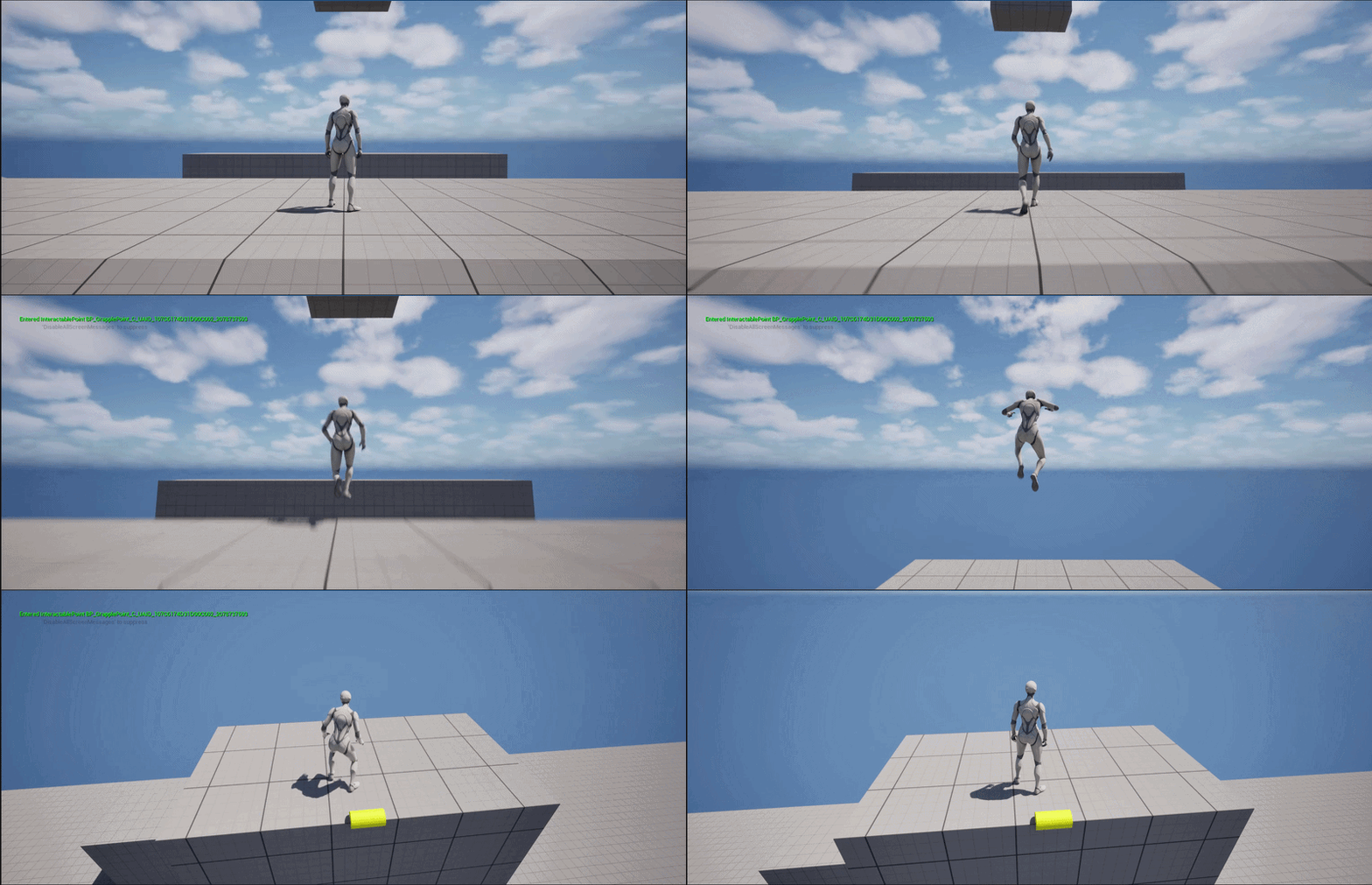
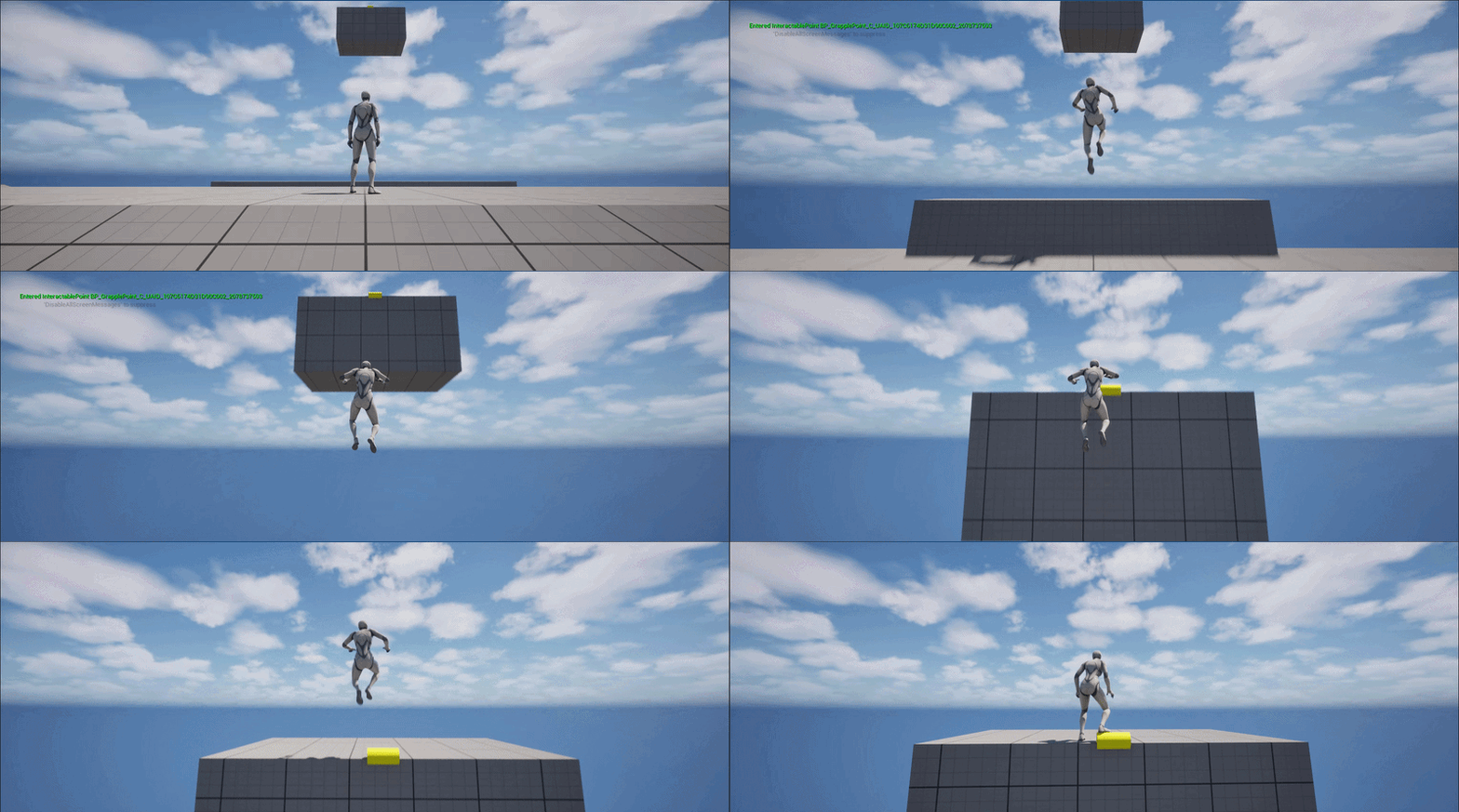
Second came the actual dragging of the player. Using the vector from the player’s current position to the grapple point, it was applied as a force which leads to the visible effect that the player slows down when closer to the targeted point.
This also meant that I needed to target a point that was a little behind and above the grappling point, otherwise the player would stop just before the edge and fall straight down.
Third was the refining of the speed and feel of the grappling hook. Since I wanted it to be snappy and quick I used an exponential easing function – shown below – to determine the speed of the player and tried to tune it to values that gave a good game feel with a little overshoot to give a feel of the power in the hook.
Where v is the speed based, d the player’s distance from the target point, v_min the minimum speed of the player, v_max the max speed of the player and s a scale factor which determines when the slowdown of the player will begin
Episode 2: Swinging Hook
When I started working on the swinging hook I found the cable component in Unreal and went to try it out. As I had understood it, it had it’s own physics so I thought the swinging hook might be able to work with just the cable component but that was not the case and the player just fell right down. I didn’t mind however as I still wanted to implement the physics myself which also meant researching the pendulum swing and forces involved.
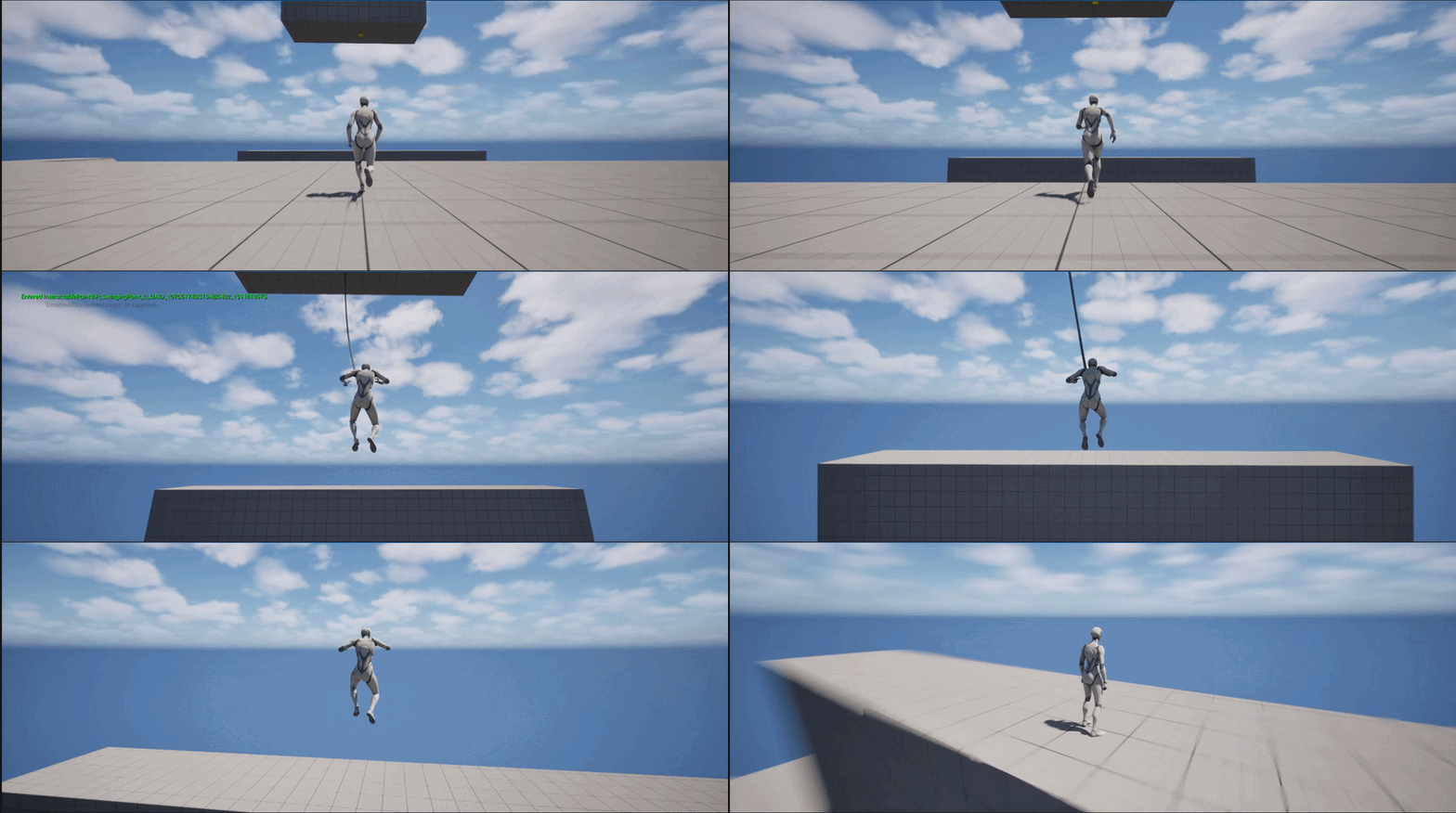
I started with a really basic version where after starting the swing the player had a continuous force applied to them each tick that was pointed forwards and upwards. This force counteracted gravity while still making the player move forward. It only worked if actually pressing W to move forward though as the player would otherwise rapidly slow down and stop.
The next step was getting closer to the pendulum swing by having an actual arc in the movement. This was achieved by calculating the centripetal force in the direction of the rope to offset gravity and get the arc movement. It still only worked when actually pressing W though.
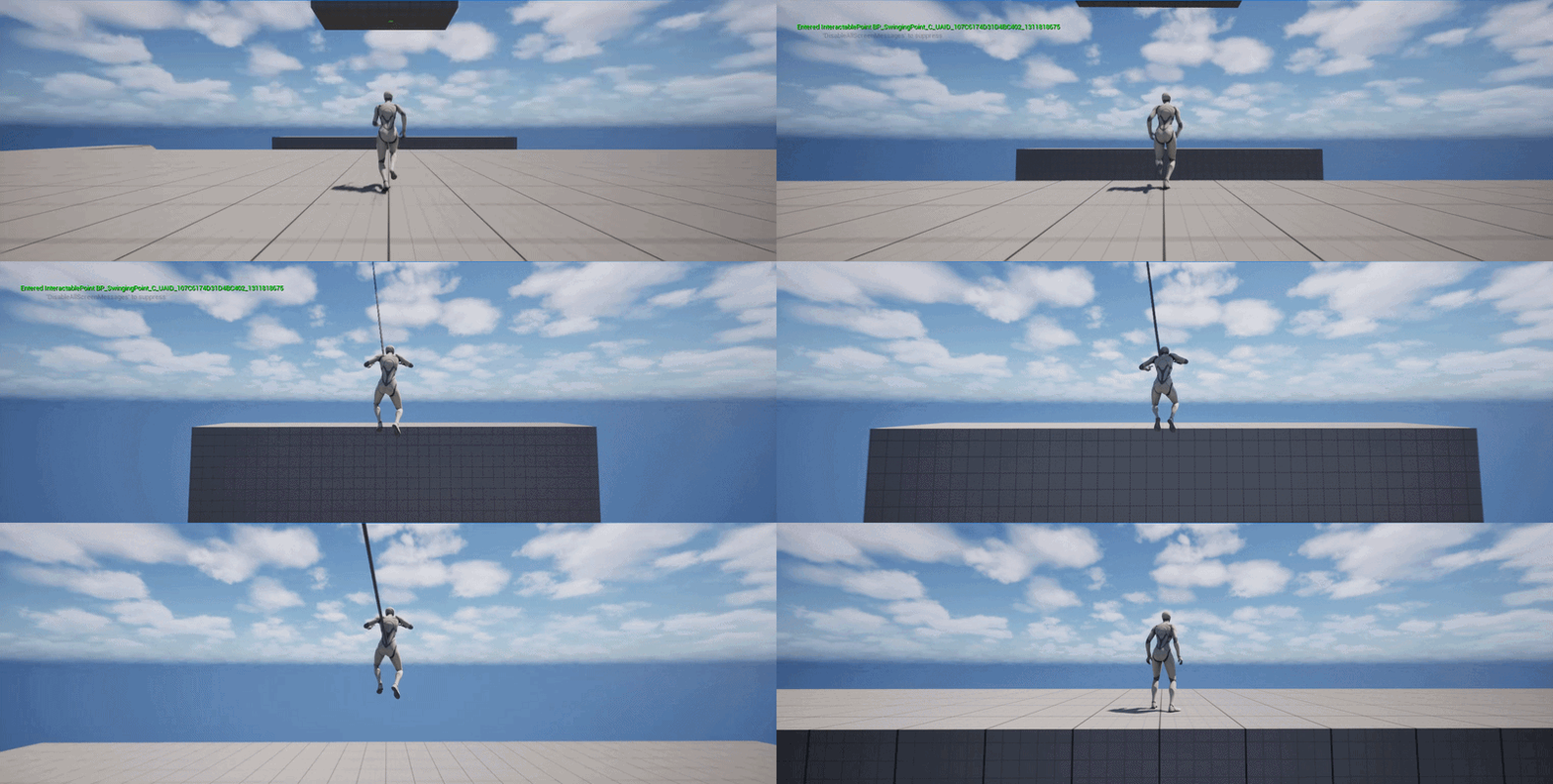
Between the previous iteration and the following was where I realised why the player rapidly slowed down if no input was given. With the current movement mode, I’m assuming that it was still set to Falling, there was an automatic deceleration of the player if no input was given. Changing the movement mode to Flying instead while swinging removed this feature and I was free to add force to the player as I wanted without Unreal automatically slowing me down. This also meant that I had to calculate all the forces that was acting on the character, these forces being gravity, the centripetal force and the resulting tangent force. With this work done it was time for the next step:
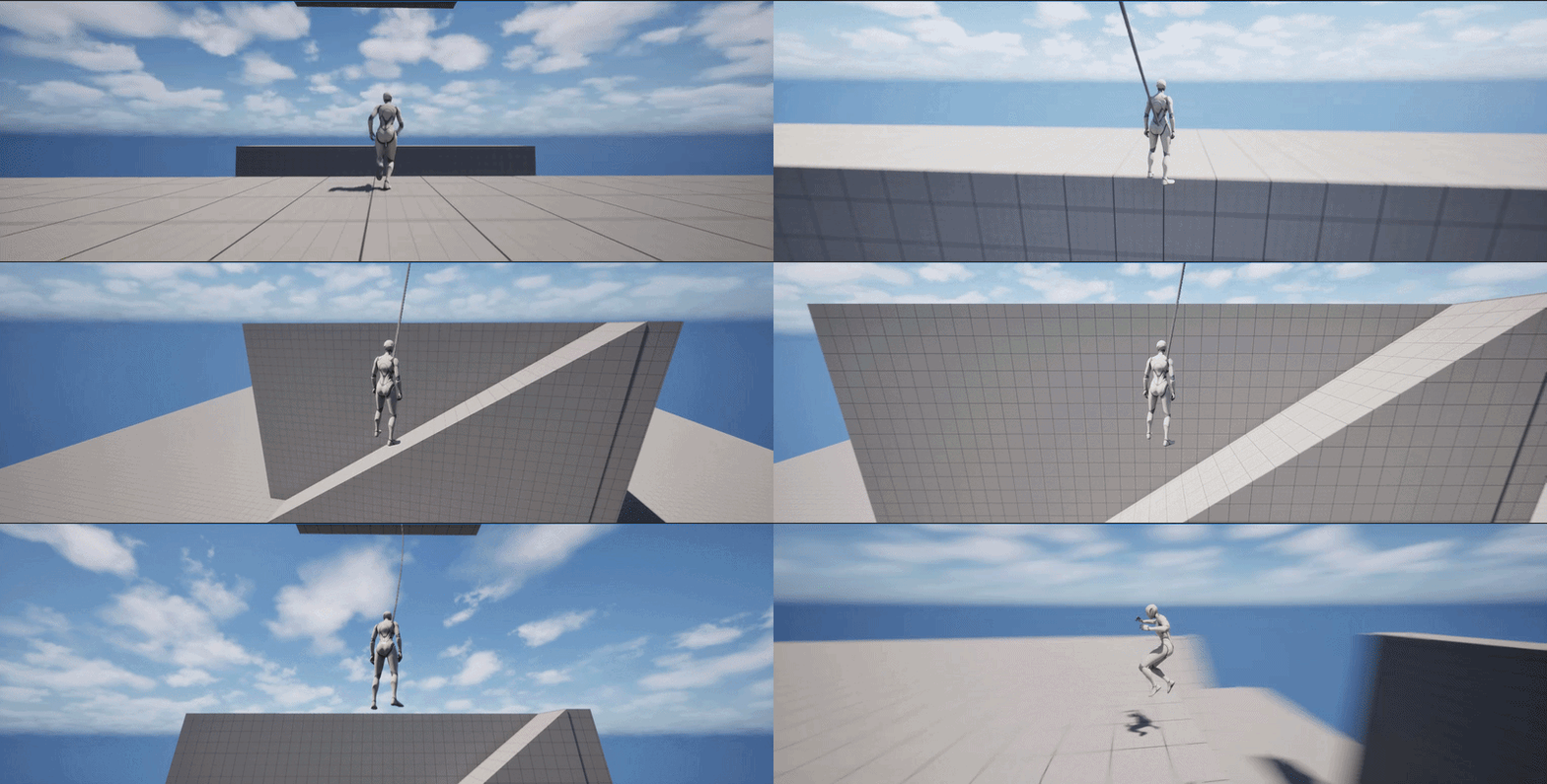
The next step was adding the ability for the player to swing back and forth when using the swing to make the swinging hook more usable. I changed the input so that if W was pressed the character would add force forwards along the axis of the tangent and vice versa if S was pressed, backwards along the axis of the tangent. Forward in this case was seen from the start of the swing and rotating the camera did not affect on this. The force was also limited to the 2D plane using the Y-axis (forward/backward) & Z-axis (up/down). Any force along the X-axis was set to 0, leading to a very rigid swing.
Instead of using a set forward I wanted the player to be able to freely swing around. This meant swinging forwards/backwards in the direction the camera was looking. Instead of adding force along the axis of the tangent I tried to apply the force along the axis that was given from the camera’s forward X and Y as well as the tangent’s Z. If W was pressed I used the values directly, if S was pressed I inverted them.
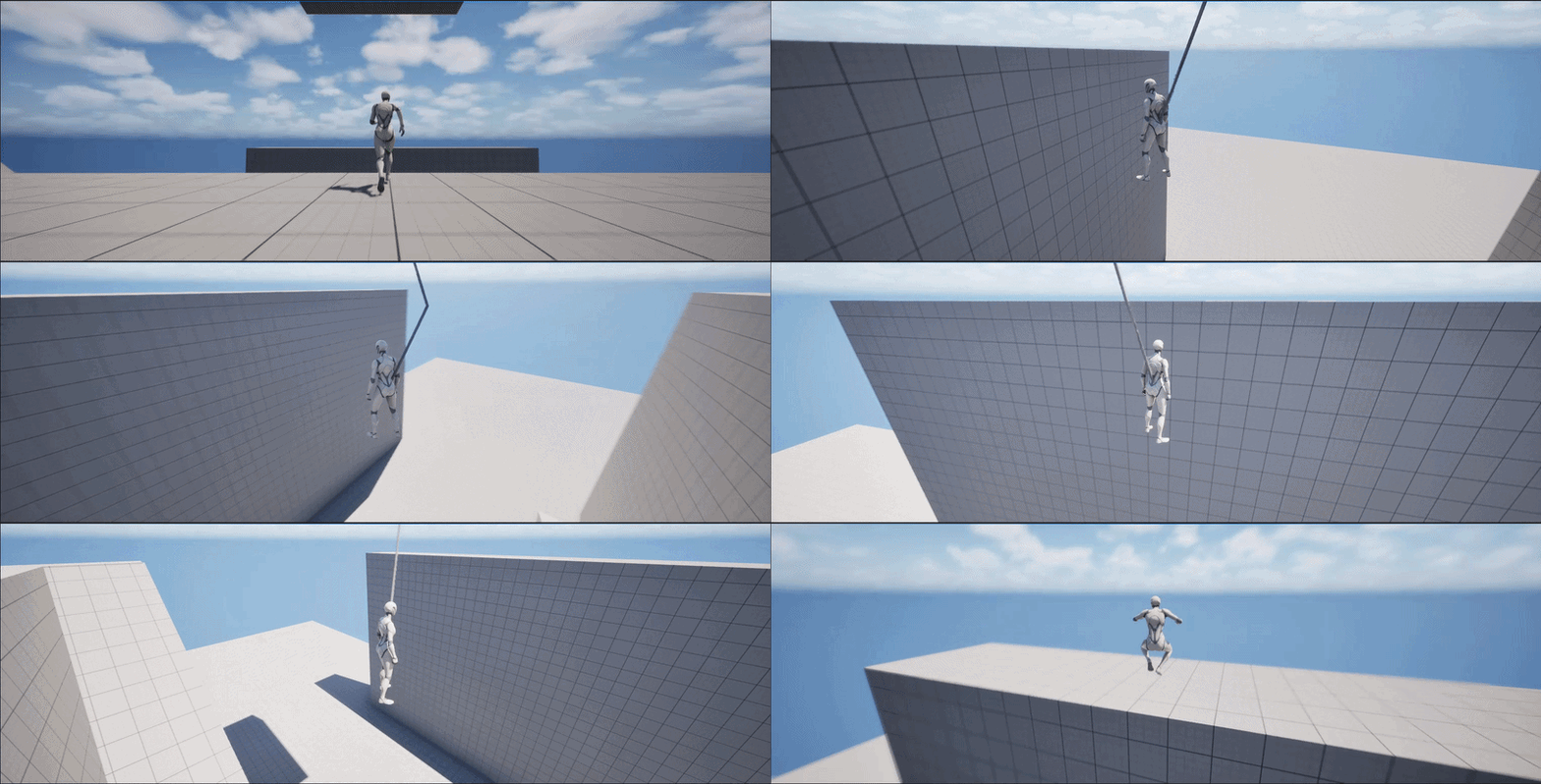
The player could now freely swing but there were still some tweaks that needed to be done:
- Firstly I changed the rope to be a static length because I noticed that the rope was sometimes extended during swinging which meant the character would get lower and lower and couldn’t swing back up since they would hit the wall instead.
- I added a maximum speed value since there were ways for the player to gain a lot of speed and end up spinning around the swinging point really fast making it impossible to see anything. It was really funny to see though and would calm down after a few seconds.
- I added a way for the character to lengthen or shorten the rope. By pressing Shift the rope would get shorter until it reached a minimum rope length. By pressing Left Ctrl the rope would lengthen until it reached a maximum rope length. This is showcased in the final video below.
- Added a cable component when using the grappling hook as well to make it seem more like an actual rope that was pulling the player in.
Finally, with all the done I present to you the completed grappling/swinging hook presented in a small obstacle course:
Epilogue:
Creating and opening the project in Unreal Engine and Visual Studio was a lot the first time. I used the third-person template platformer to avoid having to create the basic movement of the character, fix animations and so on. But with the project having all of this already implemented there was a lot in both the Unreal Project and the Visual Studio project so there was a introductory time spent just familiarizing myself with the project and testing around. There was also a lot of time spent searching the internet on how to do basic stuff and a lot of trial and error to test if stuff worked as I thought it did. As I spent more time with it however the easier it got.
A concrete example is the use of the enhanced input system that Unreal uses. The first time I wanted to add a new action, using a grapple point, and bind it to a button it was a hassle and took a while. The next time when I wanted to be able to shorten or lengthen the rope it was way easier which shows that it is intuitive but imposing when seeing it for the first time.
All in all, I’m happy with how it turned out. It was fun figuring out the kinks of Unreal and researching the physics behind the swinging hook. It might have been more problematic if I had to match it with animations. Since I’m neither an animator nor did I want to disturb any during their own portfolio work, that is a problem that is going to have to be solved when I get the chance to implement a grappling hook in an actual game.
Dozing off now are we?
Well it was a long tale so I shan’t blame you too much.
Good fortune be upon you traveller.